See Every Input. Stream Like a Pro.
Real-time joystick, throttle, and rudder pedal overlay for OBS. Show your viewers every axis movement and button press as it happens.
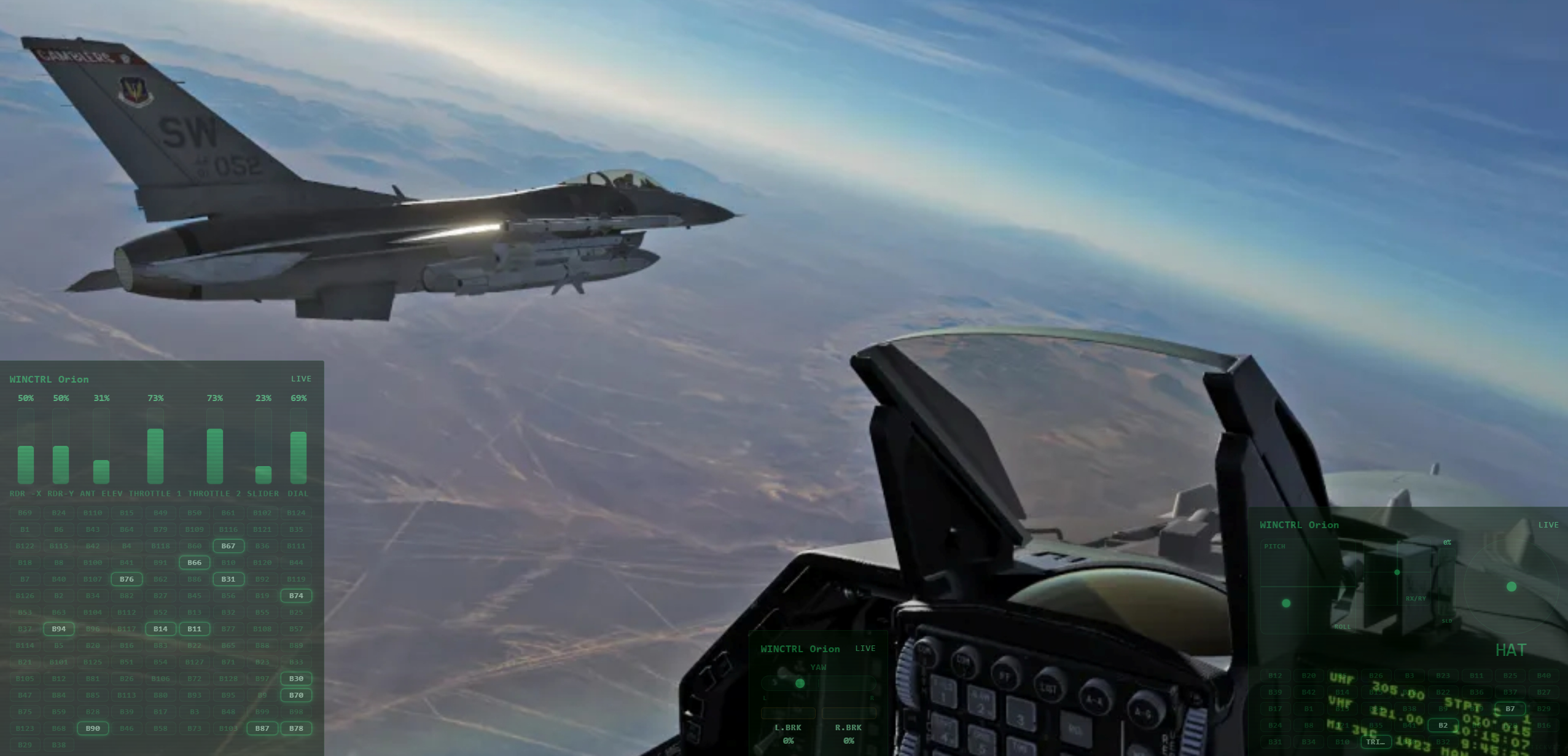
Everything You Need to Stream Your Inputs
Real-Time Input Display
60Hz polling captures every axis movement and button press with no perceptible delay.
5 Professional Themes
Switch instantly between Glass Cockpit, Stealth, HUD Green, Minimal White, and Neon from the dashboard.
Automatic Device Detection
WinWing, Thrustmaster, VKB, and any USB HID device detected and configured automatically.
Drag-and-Drop Positioning
Resize and reposition each panel. Your layout persists across sessions and restarts.
Near-Zero GPU Impact
CSS-only rendering means your GPU stays free for your game. No canvas, no WebGL overhead.
Works Offline
Activate once with your license key, then use forever. No internet connection required.
How It Works
Install StickViz
Download and run the installer. Under 3 MB, no dependencies.
Add to OBS
Add a Browser Source in OBS and point it to the local overlay URL.
Stream
Your inputs appear in real time. Resize, reposition, and pick a theme.
Themes
Glass Cockpit
FreeStealth
ProHUD Green
ProMinimal White
ProNeon
ProSupported Devices
+ any USB HID joystick, throttle, or rudder pedals
Simple, One-Time Pricing
Free
Perfect for getting started
- 1 device
- Glass Cockpit theme
- Auto-detection
- Drag-and-drop
- OBS browser source
- Works offline
Pro
Everything, forever
- Unlimited devices
- All 5 themes
- Custom labels
- No watermark
- All future updates